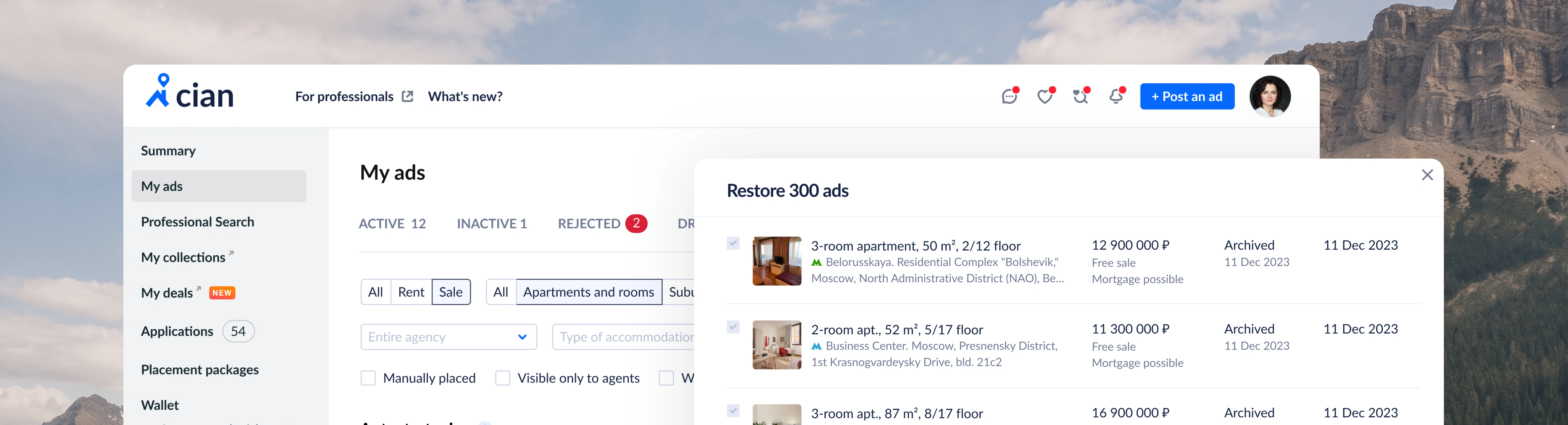
Bulk Listing Restoration
Problem
Listings moved to Inactive with no way to restore them in bulk. Manual work kept inventory out of search and made costs unpredictable.
Solution
A controlled bulk-restoration flow with explicit payment methods, transparent costs, clear constraints and persistent results.
Role
Sole Product Designer, from discovery to delivery: wireframing, prototyping, user testing, UX/UI design and technical specifications.
[01 — Context]
A missing bulk action with a business impact
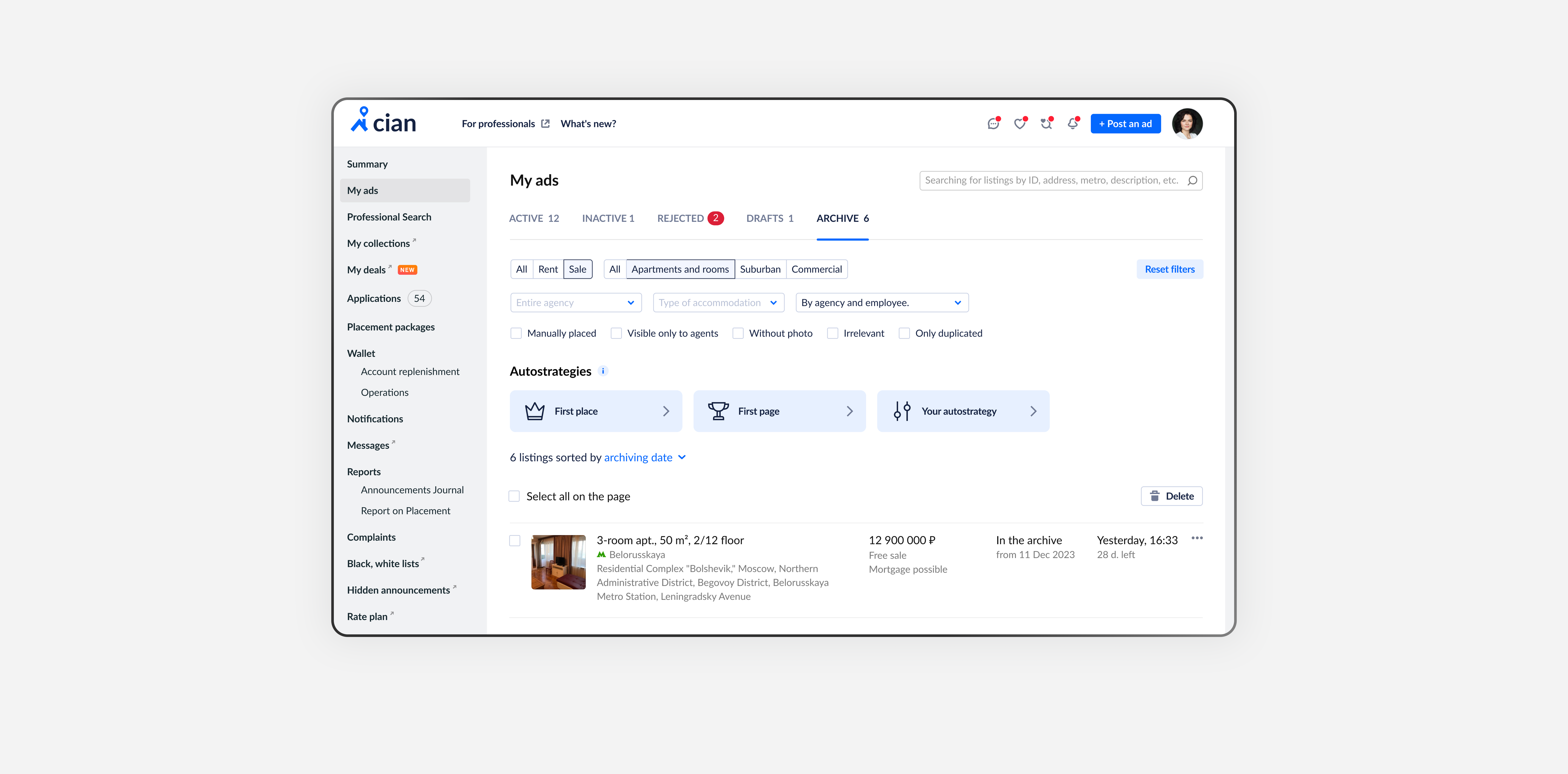
Recurring support tickets revealed a core issue: listings move to Inactive, and there is no way to restore them in bulk. I took the work end to end and focused on product value: a fast return of large volumes with full price transparency and clear constraints.
Up to 2/3 of active listings were affected, according to internal estimates.
For a classifieds platform this is a hygiene issue—without fast restoration, content volume and revenue drop. We treated it as critical.
Clients often need to bring back 30–50 listings from Inactive, or 200–300+ during seasonal shifts. Restoring one by one (2–3 minutes each) is too slow — people postpone or quit.
When many listings auto-move to Inactive, users usually need a specific batch, not everything. They had to restore all and then manually unpublish the extras.
A late subscription renewal or top-up pushes listings to the archive; users then have to restore them manually. Some intentionally archive to avoid charges and later reverse it — also manually.
Placement type, who pays, employee permissions, import vs. manual, listing type and region make restoration complex and block bulk actions.
[02 — Role]
From discovery to delivery
I was the sole product designer responsible from discovery to delivery.
- Defined the problem and mapped high-frequency use cases.
- Consolidated all technical conditions and constraints into one list.
- Created and evaluated concepts, ran user tests.
- Designed the final flow and documented the design and scenarios in the requirements.
- Supported engineering during build planning.
[03 — Concepts]
From automatic restoration to explicit control
I first explored a concept that restored everything in one click with auto-validation and automatic price calculation. A technical review showed we could not reliably determine, for each listing, whether restoration should come from a subscription or package or be paid.
That created a risk of unpredictable charges and a spike in support tickets, so I rejected the “magic” approach.
Speed should not come at the cost of unpredictable charges.
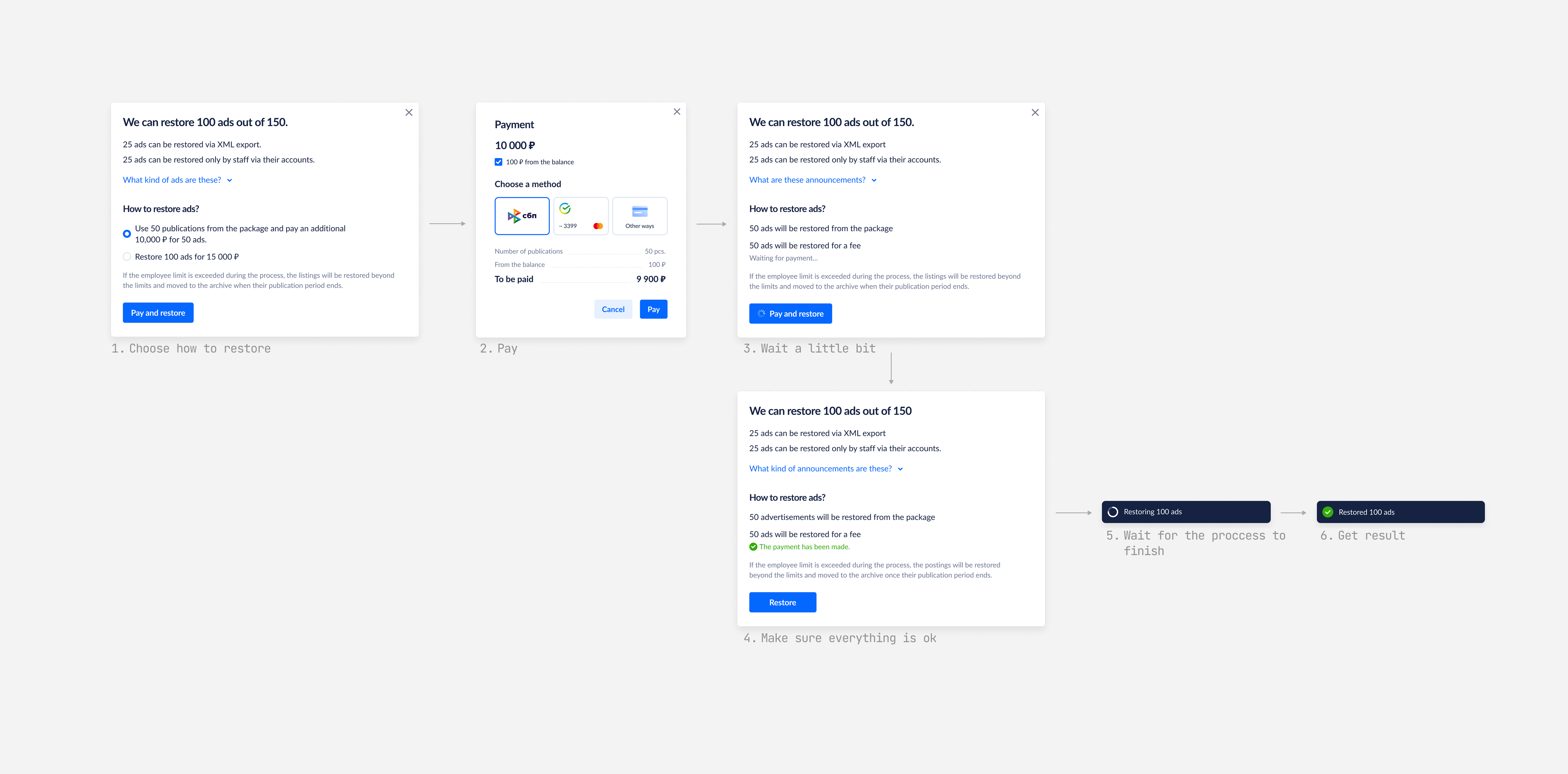
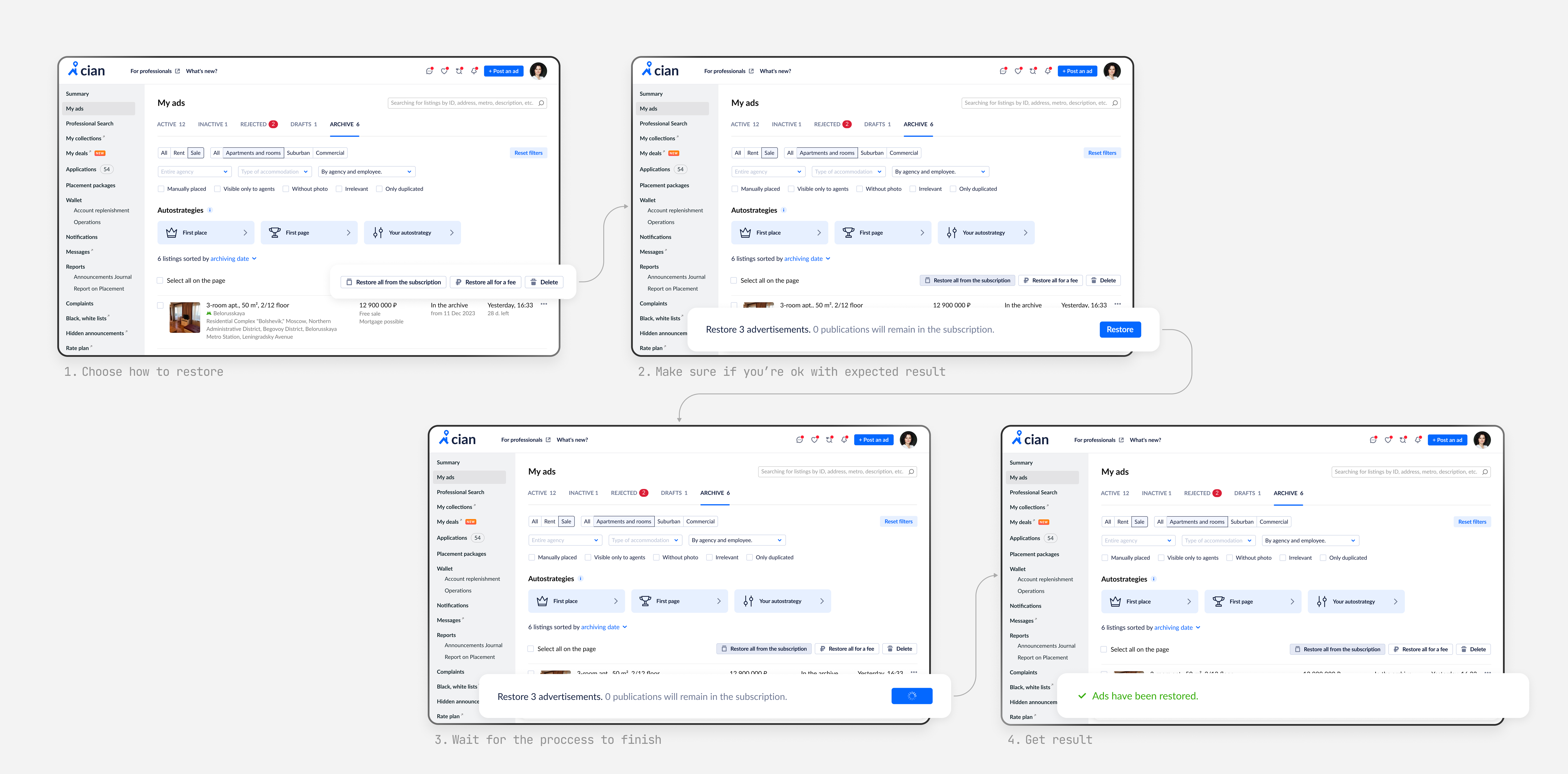
I then moved to a concept with explicit user control. Users selected listings and chose the restoration method: “Paid” or “From subscription or package.” Before committing engineering time, I built a prototype to validate comprehension and sense of control with users.
[04 — Research]
Testing understanding and confidence
Together with a researcher, I ran five semi-structured, task-based interviews with frequent bulk-restore users. We tested understanding of methods, typical selection patterns, discoverability of controls, clarity of reasons why some listings could not be restored, and confidence that restoration had succeeded.
Users needed to see what would happen before committing.
- Users expected an explicit method choice in a visible area.
- A hidden bottom panel was often missed and reduced confidence.
- Inline reasons for ineligible items were necessary, with an aggregate summary for quick scanning.
- After running the process, users needed persistent and clear confirmation of the result.
[05 — Solution]
A focused flow with visible safeguards
I kept multi-select and separate flows for “Paid” and “From subscription or package,” and reintroduced a focused modal. The experience addressed the research findings with clear safeguards and visibility.
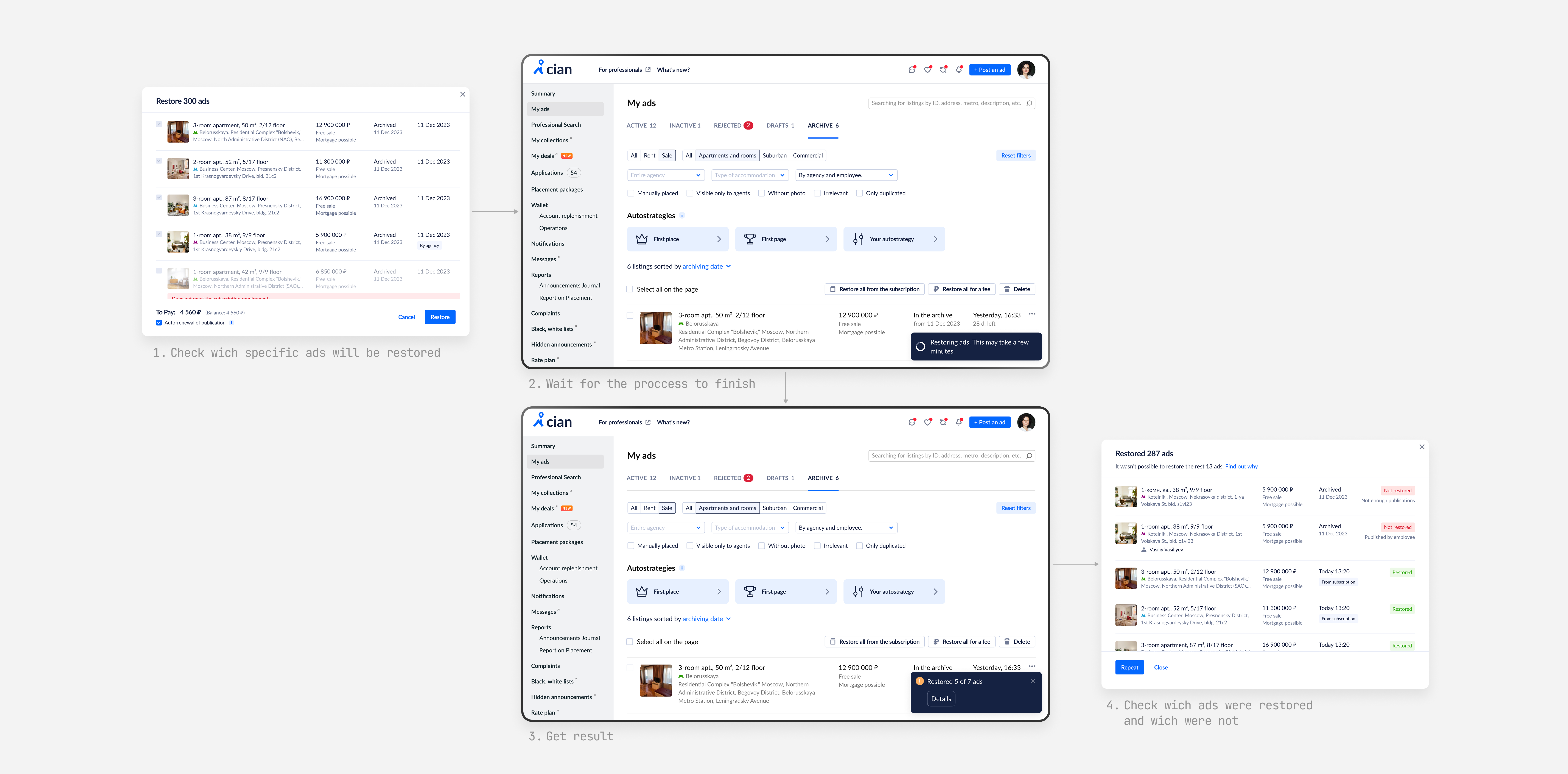
- Modal focus on the selected set to reduce noise and decision fatigue.
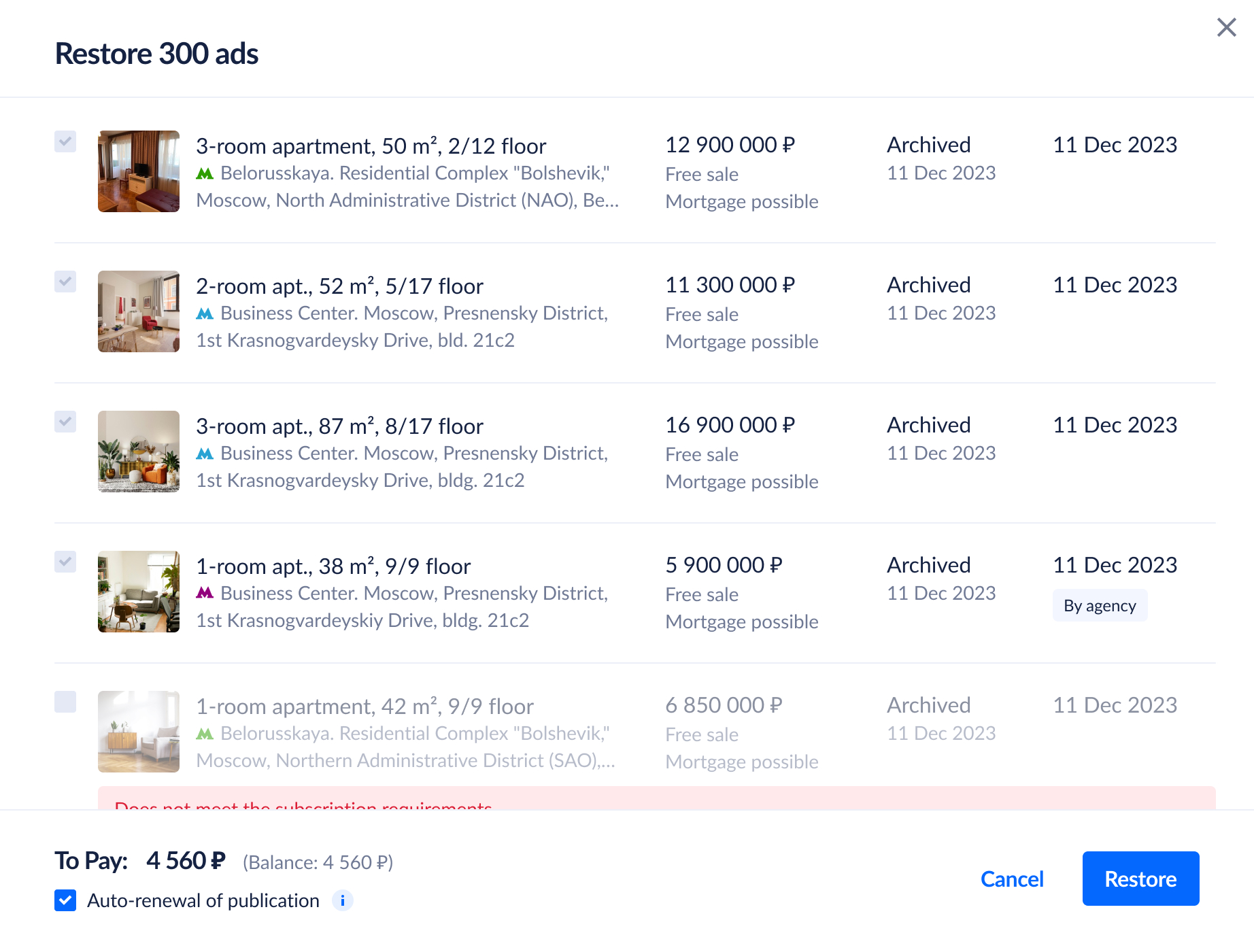
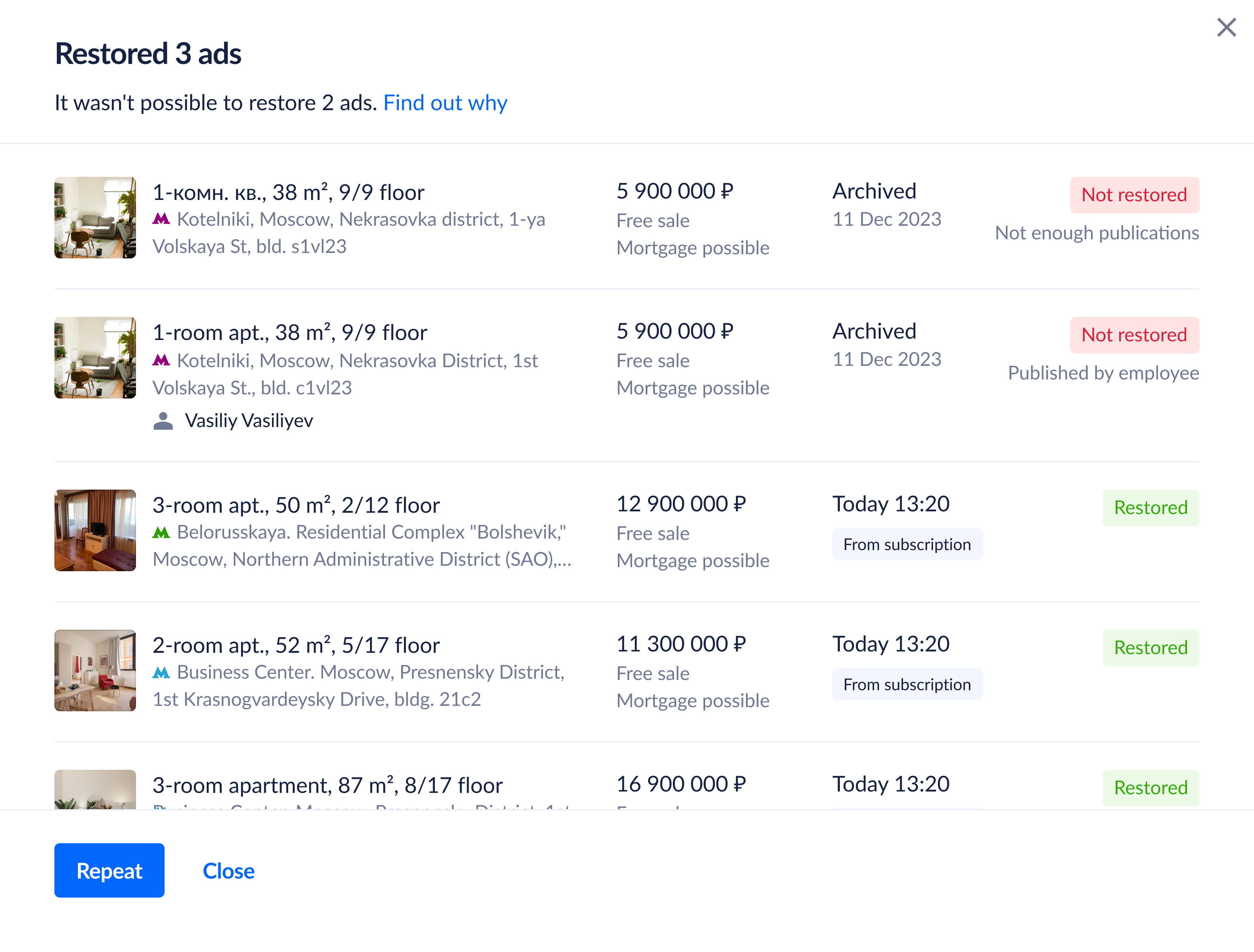
- Inline reasons on each card and an aggregated summary of all reasons in the modal header.
- A counter showing how many listings will actually be restored.
- A Preparation step that explains what will and will not restore, and why.
- Auto-renew to avoid repeating the work a month later.
- Non-blocking progress via a toast that displays progress and the final status and remains until dismissed.
- A Results view that shows listing attributes, when and how each item was restored, or a clear failure reason.
[06 — Results]
Less manual work. More inventory back in search.
From 8 hours to minutes.
Results
Restoring 200–300 listings takes minutes instead of 8 hours.
Content return increased by 33%.